
Guide
Graphics Settings for Traffic Racer Open World on Any Phone
Preset-by-preset settings advice: flagships at full postcard, mid-range at the sweet spot, and budget phones without losing a single road.
Itinerary Route ledger for this page
The game scales gracefully, but its default preset is a guess about your phone, and guesses deserve checking. These are the settings our reviewer settled on across the whole test rack, from the Galaxy A13 to the Pixel 8, for Traffic Racer Open World APK.
Flagships
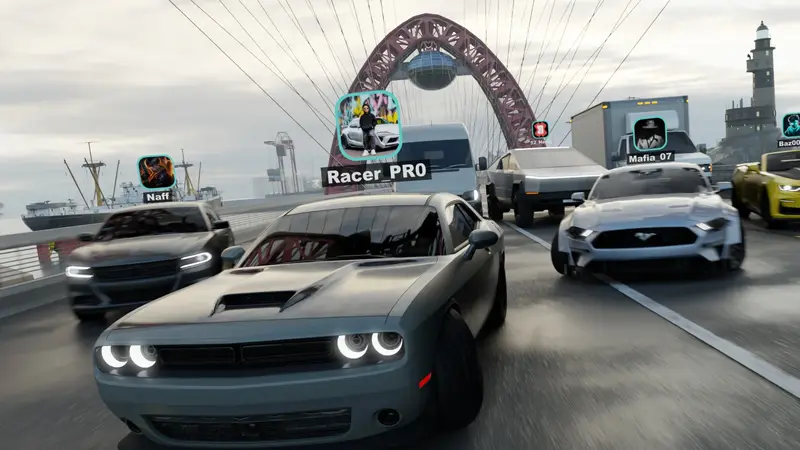
Run the high preset and take the postcard: dense traffic, long draw distances, weather at full drama. The city in rain at night on a big bright screen is this game's showroom moment, and modern flagships hold it well.
Know what each slider costs. Shadows and traffic density are the heavyweights on most phones, resolution scale is the blunt instrument that fixes everything at once at the price of sharpness, and effects like motion blur cost less than they appear to. Change one setting, then drive the same route at the same time of day; the game world is consistent enough to work as a benchmark. Ten disciplined minutes here save months of vague dissatisfaction with how the game feels.
Mid-range phones
Medium preset with shadows stepped down once is the sweet spot most readers should start from. Busy city scenes stay fluid, battery drain stays sane, and the world loses none of its character.
Budget phones
Low preset, trimmed effects, and a promise from the engine: because the map streams in sections, lowering detail never removes roads, cars or missions. Close background apps, keep storage headroom, and the countryside in particular plays beautifully. Our budget-phone test covers the honest limits in full. Set it once, honestly, and Traffic Racer Open World feels right on any phone.
Set it once, then drive
Settings solve the steady problems: a frame rate that sits low everywhere, a phone that heats on long runs. They do not solve spikes, and spikes have their own causes. If your game stutters in bursts rather than running uniformly slow, skip ahead to the lag fix field guide for heat, housekeeping and room problems, which works through the burst causes in the order they actually occur.
Expectations matter as much as sliders. Our budget phone test of Traffic Racer Open World records honestly what modest hardware delivers at the settings above: which regions hold their pace, where the strain shows, and why a stable thirty beats a heroic sixty that collapses in traffic. Match the settings to the phone you own, not the phone in the trailer, and the game feels right every session.
Write down your final settings once they feel right, somewhere outside the game. Updates, new phones and curious friends resetting sliders all become non-events when the recipe is recorded. Two minutes of documentation protects months of comfort, and comfort is what lets you judge driving instead of judging the picture. In Traffic Racer Open World, the best graphics setting is the one you never think about again.
Quick Answers
Does the low preset cut content?
No. Roads, cars and missions all remain; only visual detail and effects reduce.
Which single change helps stutter most?
Dropping one preset step, then closing background apps. Test in rush-hour city traffic, the heaviest scene.
Do settings affect online rooms?
Only your own device's rendering. Your rooms, cars and progress are identical either way.